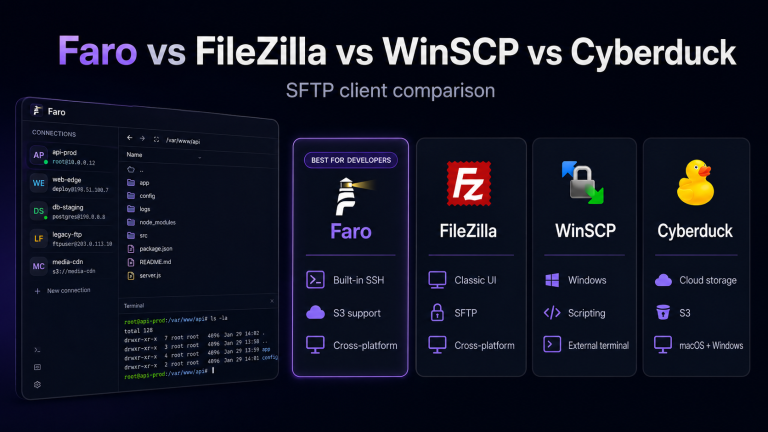
Why I Built Faro: A Modern Alternative to FileZilla + PuTTY
Why I Built Faro: A Modern Alternative to FileZilla + PuTTY
For more than a decade, my server workflow looked like this: FileZilla for file transfers, PuTTY for SSH sessions, a separate S3 client for object storage, and a notes file stuffed with connection credentials. Every deployment meant alt-tabbing between four different windows, copying paths by hand, and hoping I didn’t drag the wrong file into the wrong server.
Sound familiar? If you manage servers, it probably does.
That friction is exactly why I built Faro — a modern desktop client that combines FTP, SFTP, SSH, and S3-compatible storage into one clean workspace.
The problem with the classic toolkit
FileZilla and PuTTY are legendary tools. They have served developers for decades. But they were designed in a different era:
- Disconnected workflows. Your file manager doesn’t talk to your terminal. Your S3 browser is a completely different app.
- Dated UX. Resizing columns, managing site lists, and handling key files feels like 2005.
- No unified search. Want to grep a remote log and then download the matching file? That’s two apps and a manual copy-paste.
- Platform inconsistencies. PuTTY on Windows, Terminal on macOS, a different SFTP client on Linux — your workflow changes per machine.
I kept thinking: Why can’t one app just do all of this well?
What Faro does differently
Faro is built around the idea that server administration should happen in one place.
1. Dual-pane file manager across protocols
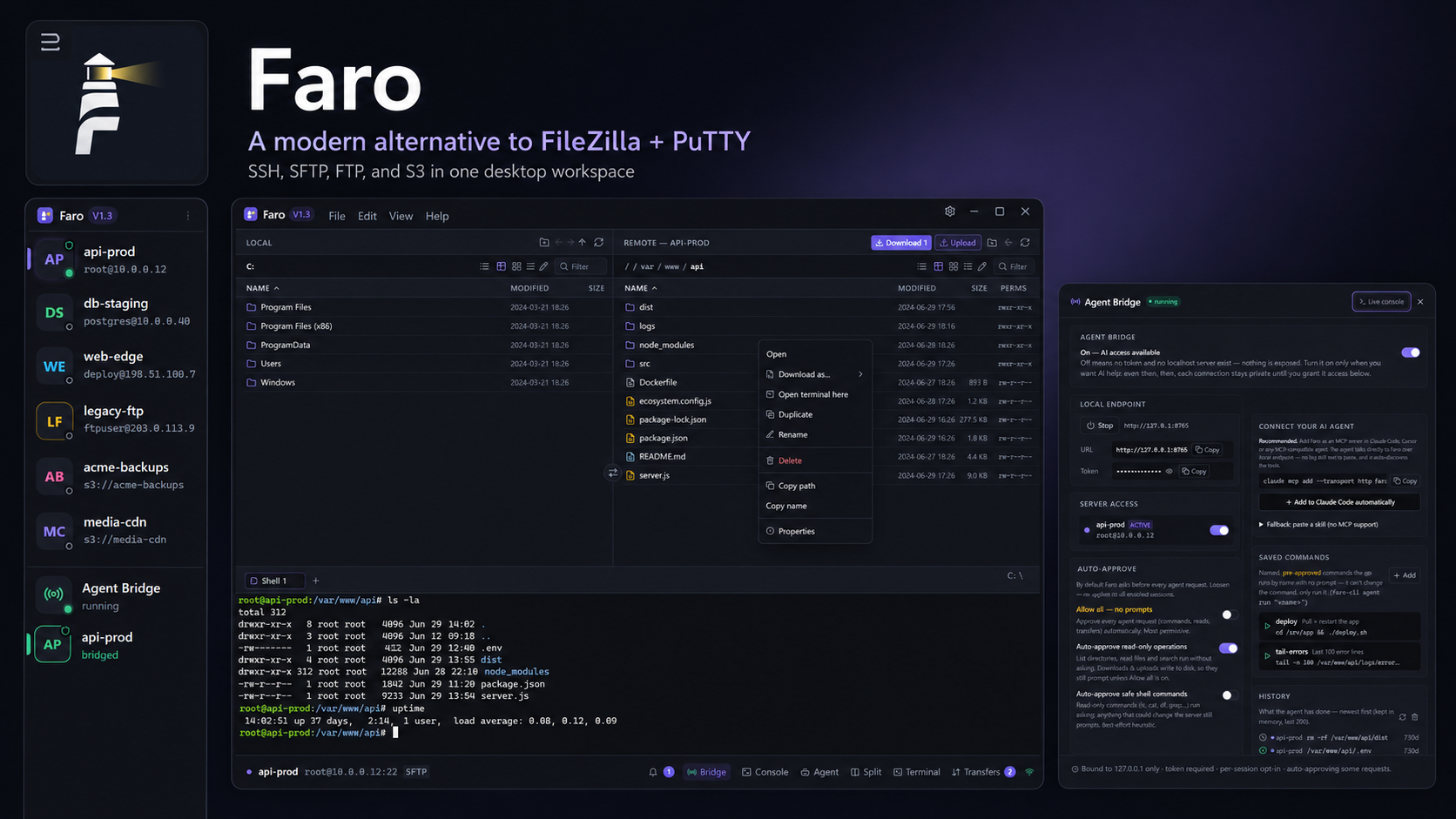
The core interface is a FileZilla-style dual-pane browser, but it works for SFTP, FTP, and local files in the same view. You can drag from a remote SFTP server straight to an S3 bucket, or from your local machine into a remote directory, without leaving the app.
2. Built-in terminal, not a separate window
Every connection gets an integrated SSH terminal. No more launching PuTTY, copying hostnames, or managing session windows. One click opens the terminal for the server you’re already browsing.
3. S3-compatible storage support
Need to move files between a VPS and a MinIO bucket? Or sync assets to AWS S3? Faro treats S3 buckets like any other filesystem, so the same drag-and-drop, sync, and queue logic works everywhere.
4. Cross-platform, native feel
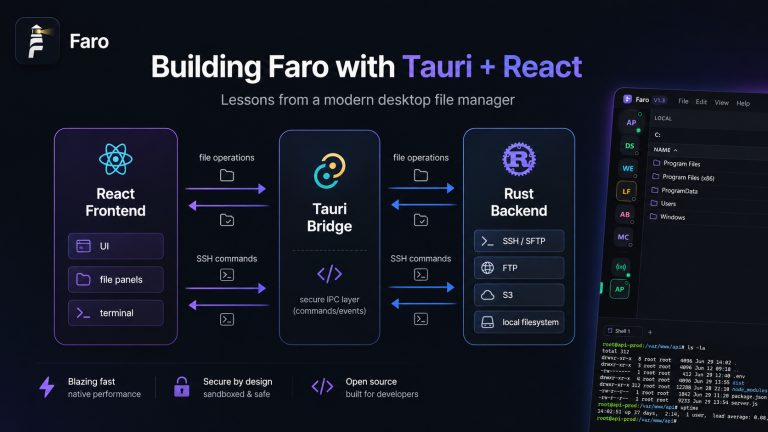
Faro is built with Tauri + React, which means a small install size, native performance, and a consistent experience on Windows, macOS, and Linux. No Electron bloat. No 300 MB installer.
5. The Agent Bridge (experimental)
One feature I’m especially excited about is the Agent Bridge. It lets you grant secure, local access to an AI assistant so it can help with read-only server tasks — browsing files, checking logs, running diagnostics — without ever seeing your credentials. You approve each action in the UI.
Who is Faro for?
Faro is designed for:
- Solo developers managing their own VPS or dedicated server.
- DevOps engineers who need SFTP + SSH + S3 in the same session.
- Agencies maintaining dozens of client sites across different hosts.
- Anyone tired of switching apps just to move a file or restart a service.
Why open source?
I believe developer tools should be transparent. Your file client has access to your servers, your keys, and your data. Building Faro in the open means anyone can audit how it works, contribute improvements, or fork it for their own needs.
You can follow the project on GitHub: github.com/jhd3197/faro
What’s next
Faro is actively developed. Upcoming features include:
- Directory sync with dry-run previews
- Connection folders and tagging
- SSH key management UI
- Transfer queue resume
- Plugin system for custom protocols
If you’ve been looking for a modern replacement for FileZilla + PuTTY, give Faro a try. I’d love your feedback.
Related posts: