Building a Tauri + React File Manager: Lessons from Faro
Building a Tauri + React File Manager: Lessons from Faro
Building a desktop file manager is harder than it looks. Drag-and-drop, directory trees, transfer queues, SSH sessions, and S3 APIs all need to coexist in one window. When I started Faro, I chose Tauri + React for the stack. Here’s what I learned.
Why Tauri instead of Electron?
Electron is the default choice for cross-platform desktop apps, but I wanted something lighter:
- Smaller bundle: Tauri apps are typically under 15 MB. Comparable Electron apps often exceed 150 MB.
- Native performance: The Rust backend gives you real multi-threading and memory safety.
- System integration: Tauri makes it easier to ship native menus, notifications, and auto-updaters.
- Security model: Tauri uses the OS webview and a strict capability system for frontend-to-backend commands.
For a tool that manages server credentials and file transfers, the smaller attack surface matters.
The architecture
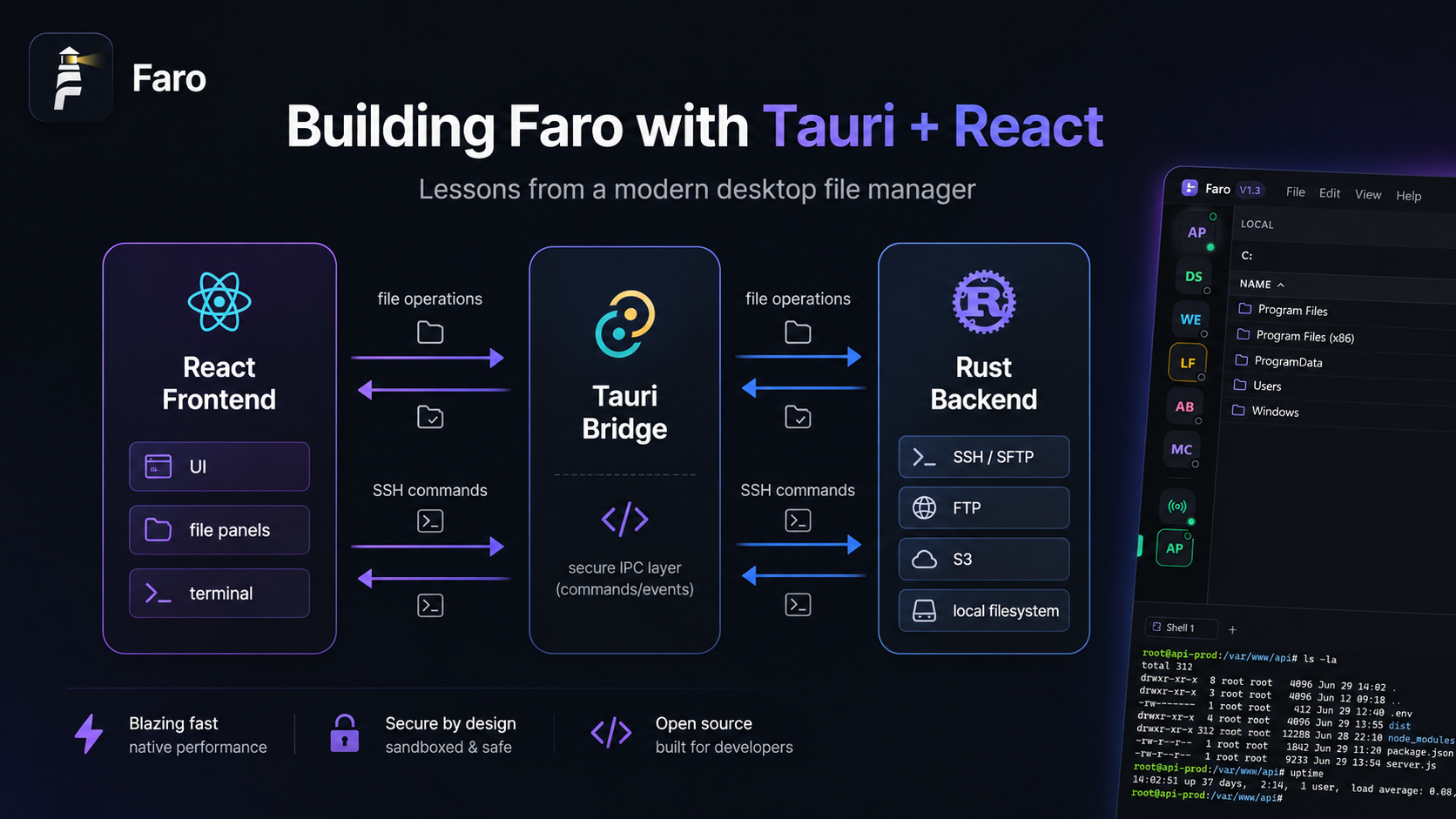
Faro’s stack looks like this:
┌─────────────────────────────┐
│      React Frontend         │
│  (UI, file panels, terminal)│
└───────────┬─────────────────┘
            │ Tauri commands
┌───────────┴─────────────────┐
│       Rust Backend          │
│  (SSH/SFTP, FTP, S3 clients)│
└─────────────────────────────┘
The frontend handles state, layout, and the user interface. The backend owns all network and filesystem operations. They communicate through typed Tauri commands, which keeps the boundary clean.
Lesson 1: Virtualize large directories
When you open /var/log on a busy server, you might see thousands of files. Rendering them all in the DOM kills performance.
We use virtualization for the file list. Only visible rows are rendered, and scrolling updates the window. This keeps the UI responsive even with 50,000+ files.
Lesson 2: Treat transfers as a job queue
Every upload or download becomes a job object:
interface TransferJob {
  id: string;
  sourcePath: string;
  destinationPath: string;
  direction: "upload" | "download";
  status: "queued" | "running" | "paused" | "completed" | "error";
  progress: number;
  bytesTransferred: number;
  totalBytes: number;
}
A central queue manager handles concurrency, retry logic, and cancellation. This lets users queue hundreds of files and still pause or reorder them.
Lesson 3: SSH is harder than SFTP
SFTP is relatively straightforward once you have an SSH connection. But building a good terminal experience means:
- Handling ANSI escape codes and colors
- Supporting interactive programs like
vim,htop, andless - Managing PTY resize events when the window changes
- Supporting copy/paste and keyboard shortcuts
We use xterm.js for the terminal and a WebSocket-like stream from the Rust backend. It works, but getting the edge cases right took time.
Lesson 4: S3 isn’t a filesystem
S3 doesn’t behave like SFTP. There are no real directories, only prefixes. Listing is paginated. Operations are eventually consistent. We had to abstract the file panel so it could treat S3 buckets, SFTP directories, and local folders with the same UI but different backend logic.
Lesson 5: Native drag-and-drop is tricky
HTML5 drag-and-drop works, but native file drops from the OS into a Tauri window require special handling. We use Tauri’s file-drop events and translate absolute paths into internal file references. Testing across Windows, macOS, and Linux revealed subtle differences in how each OS reports dropped files.
What I’d do differently
- Start with a stricter file abstraction. We refactored the file panel twice because S3 semantics leaked into the SFTP code.
- Use a state machine for connections. “Connected” is not a single state. There’s connecting, authenticating, idle, busy, reconnecting, and error.
- Write integration tests early. Mocking SSH/SFTP servers locally saved us later, but we should have done it from day one.
Want to see the code?
Faro is open source: github.com/jhd3197/faro
If you’re building a Tauri app with complex backend state, I hope these lessons save you some time.
Related posts: