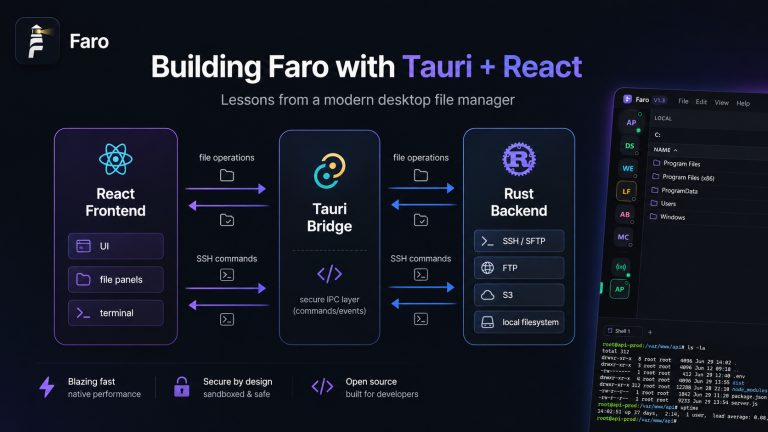
Faro vs FileZilla vs WinSCP: Which SFTP Client Wins in 2026?
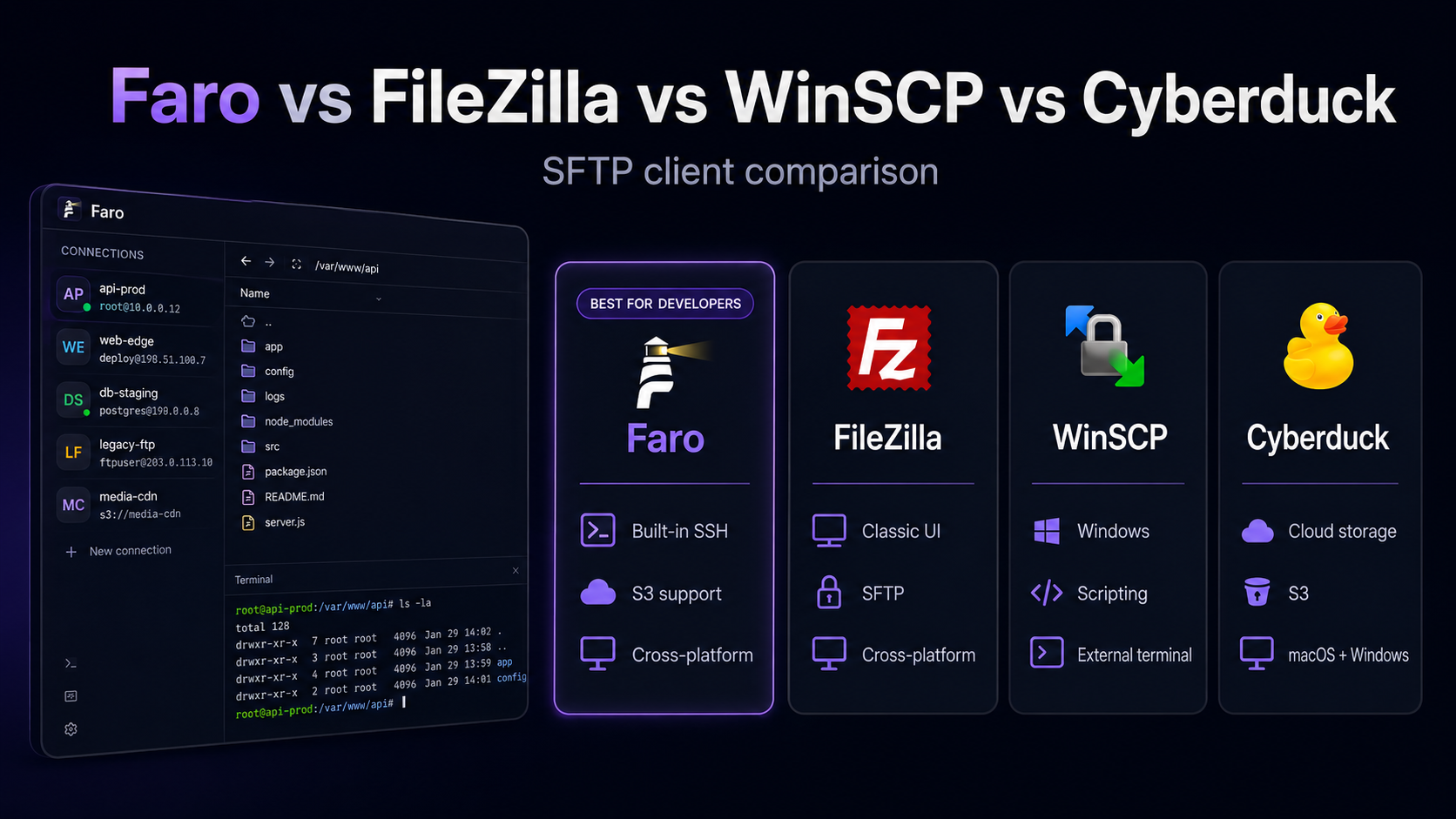
Faro vs FileZilla vs WinSCP: Which SFTP Client Wins in 2026?
Choosing an SFTP client sounds simple until you realize how different they are. Some are fast but ugly. Some look great but only support one protocol. Others have been around forever but feel like they were built before tabs were invented.
In this post, I’ll compare four popular options — Faro, FileZilla, WinSCP, and Cyberduck — across the features that actually matter for developers in 2026.
The contenders
| Tool | Type | Protocols | Terminal | Cross-platform |
|---|---|---|---|---|
| Faro | Modern desktop app | SFTP, FTP, FTPS, S3 | Built-in SSH | Windows, macOS, Linux |
| FileZilla | Desktop client | FTP, FTPS, SFTP | No (external) | Windows, macOS, Linux |
| WinSCP | Windows client | FTP, FTPS, SFTP, WebDAV | External launch | Windows only |
| Cyberduck | Desktop client | FTP, SFTP, WebDAV, S3, Azure, GCS | No (external) | Windows, macOS |
Protocol support
FileZilla and WinSCP cover the basics: FTP, FTPS, and SFTP. Cyberduck goes further with cloud storage like S3, Azure Blob, and Google Cloud Storage.
Faro focuses on the protocols developers use most: SFTP, FTP, FTPS, and S3-compatible storage. It skips the cloud-specific protocols in favor of a tighter, faster experience for server work.
Winner for breadth: Cyberduck
Winner for developer-focused coverage: Faro
User experience
FileZilla’s dual-pane layout is iconic, but its interface has barely changed in 15 years. WinSCP is powerful but Windows-centric. Cyberduck is clean but Mac-first in personality.
Faro borrows the best parts of FileZilla’s dual-pane design and wraps them in a modern UI: dark mode by default, searchable connection lists, drag-and-drop between protocols, and a tabbed layout that doesn’t fight you.
Winner for modern UX: Faro
Integrated terminal
This is where the comparison gets interesting. Most file clients assume you’ll open a separate terminal app for SSH. Faro doesn’t.
Every Faro connection includes a built-in SSH terminal powered by xterm.js. You can browse files in one pane and run commands in the other — without switching windows.
Winner: Faro (by default; WinSCP can launch PuTTY, but it’s not integrated)
Performance and install size
FileZilla and WinSCP are mature and efficient. Cyberduck is slightly heavier. Faro, built with Tauri, ships a much smaller installer than Electron-based alternatives while still delivering a native-app feel.
If you’re on a machine with limited disk space or you deploy tools to a team, Faro’s footprint matters.
Winner for small footprint: Faro
Security
All four tools support key-based authentication and encrypted transfers. Faro adds one unique angle: the Agent Bridge, which lets AI assistants help with read-only diagnostics without exposing credentials.
That doesn’t replace good security hygiene, but it does reduce the risk of sharing keys in chat windows.
Winner for modern security workflow: Faro
When to choose each
- Choose FileZilla if you want a familiar, battle-tested FTP/SFTP client and don’t need an integrated terminal.
- Choose WinSCP if you’re on Windows and want deep scripting/automation support.
- Choose Cyberduck if you regularly work with cloud storage providers beyond S3.
- Choose Faro if you want SFTP + SSH + S3 in one modern workspace with a built-in terminal.
My recommendation
If you manage servers daily, the integrated workflow in Faro saves more time than you’d expect. The first time you grep a log, download the matching file, and edit it locally without alt-tabbing, you’ll feel the difference.
Try Faro: github.com/jhd3197/faro
Related posts: