ServerKit: A Lightweight Open-Source Control Panel for Your VPS
ServerKit: A Lightweight Open-Source Control Panel for Your VPS
Managing a VPS shouldn’t require a computer science degree or a $15/month cPanel license. That’s the idea behind ServerKit — a lightweight, open-source control panel for managing web applications, databases, and services on your own server.
Why another control panel?
The existing options fall into two camps:
- Heavyweight commercial panels like cPanel and Plesk. Powerful, but expensive, bloated, and overkill for personal projects.
- Raw command-line administration. Flexible and free, but slow and error-prone for routine tasks.
I wanted something in the middle: a clean web UI for common operations, with the freedom to drop down to the terminal when needed.
What ServerKit does
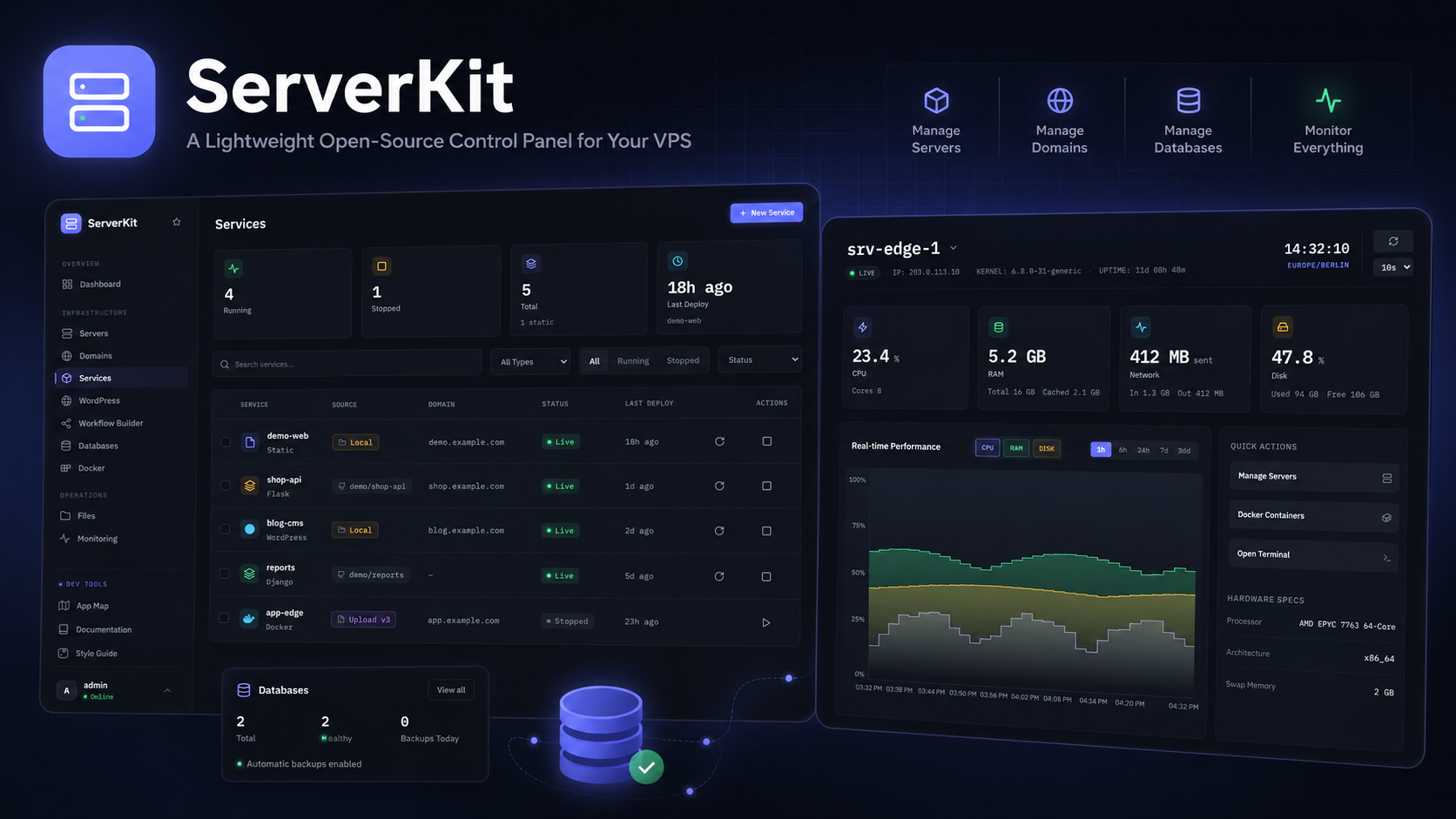
ServerKit gives you a web dashboard to:
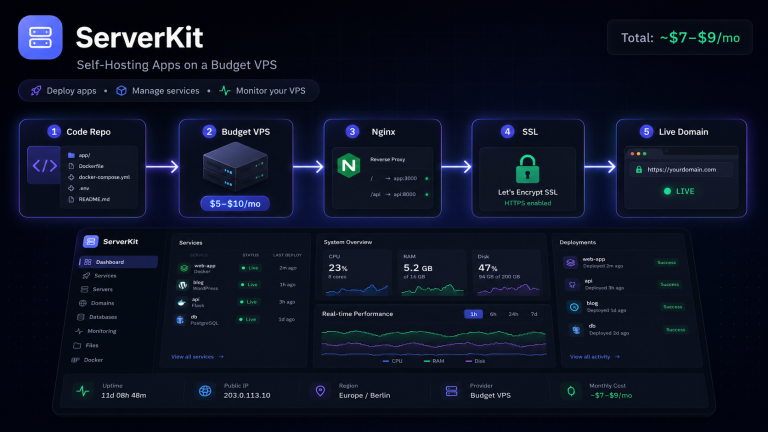
- Deploy web applications behind Nginx with SSL
- Manage databases (create users, run queries, view tables)
- Monitor services and restart them when needed
- View server metrics like CPU, memory, and disk usage
- Manage multiple sites from one interface
It’s built with a Python/Flask backend and a React frontend, so it’s easy to extend if you know modern web development.
Who is it for?
ServerKit is ideal for:
- Solo developers running a few apps on a VPS
- Small teams who want shared visibility into their server
- Learners who want to understand how control panels work under the hood
- Anyone who wants cPanel-like convenience without the price tag
Key design decisions
1. Lightweight by default
ServerKit doesn’t install a dozen background services. It uses the tools already on your server: systemd, Nginx, PostgreSQL/MySQL, and Let’s Encrypt.
2. API-first architecture
The backend exposes a REST API. The React dashboard consumes it, but you can also script against it or build your own frontend.
3. Transparent operations
Every action maps to a real shell command or config change. There’s no black box. If ServerKit creates a database, you can see exactly how it did it.
4. No vendor lock-in
Because it’s open source, you own the tool. If ServerKit doesn’t do something you need, you can add it or fork it.
How it compares
| Feature | ServerKit | cPanel | Plesk | Forge/RunCloud |
|---|---|---|---|---|
| Open source | ✅ | ❌ | ❌ | ❌ |
| Self-hosted | ✅ | ✅ | ✅ | ❌ (SaaS) |
| Free | ✅ | ❌ | ❌ | Partial |
| App deployment | ✅ | ✅ | ✅ | ✅ |
| Database UI | ✅ | ✅ | ✅ | ✅ |
| Email hosting | ❌ | ✅ | ✅ | ❌ |
| Resource usage | Small | Large | Large | N/A (SaaS) |
ServerKit is not trying to replace cPanel for resellers. It’s for developers who want a simple, modern panel for their own projects.
Current status and roadmap
ServerKit is under active development. The core app and database management features are working, and the roadmap includes:
- Git-based deployments
- SSL automation with Let’s Encrypt
- Backup scheduling
- Multi-server management
- Team permissions
Check out the repo: github.com/jhd3197/ServerKit
Try it on a $5 VPS
If you have a small VPS sitting around, ServerKit is a great way to make it useful. Pair it with Faro for file management and you have a complete, modern self-hosting workflow.
Related posts: